
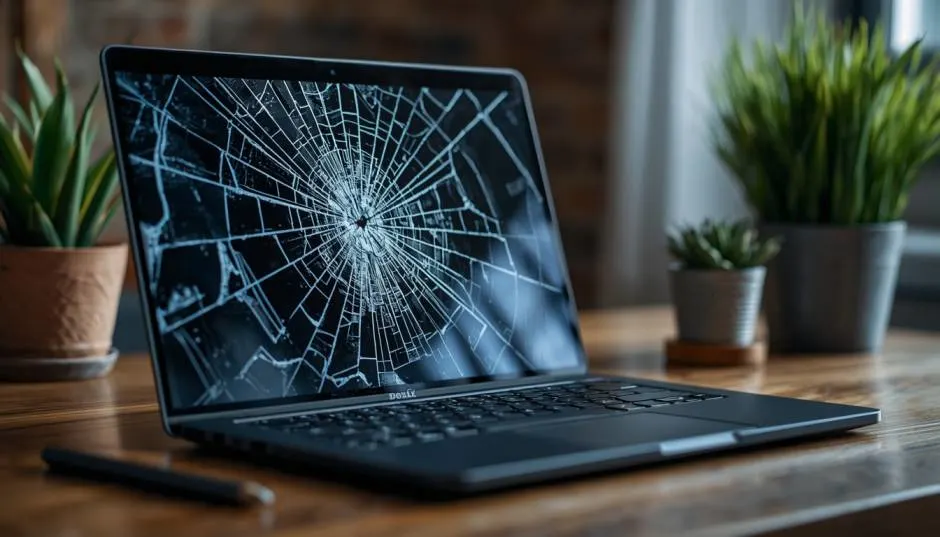
A Dell Chromebook broken screen feels like a disaster. The screen cracks, the display goes black, and your first instinct says “buy a new laptop.” Don’t. I’ve watched people spend $400 on a replacement when the fix cost $80.
Dell’s education-focused Chromebooks use modular display assemblies, and third-party panels run cheap. One Dell community user got quoted $1,300 for a repair on a $400 machine.
That quote was robbery. The real parts cost sat closer to $80, with roughly $100 in labor. Replacing a laptop screen Dell owners can do themselves for under $150 total. Here’s the honest breakdown of costs, risks, and when walking away actually makes sense.
The Real Cost of a Dell Chromebook Screen Fix
Parts for a Dell Chromebook screen run $50 to $90 for most models. The 5190 2-in-1 uses a full display assembly rather than a bare panel. That assembly includes the touch digitizer and bezel bonded together.
Read Also: The Ultimate Guide to Finding Good Chromebooks for Students in 2026
You replace the whole unit, not just the glass. Labor adds $60 to $100 at a shop . Total repair sits between $115 and $195 for the rugged 3000 series. Consumer Dell Chromebooks cost slightly less to fix.
Compare that to a new Chromebook. Basic models start around $300. Better ones hit $450. The math favors repair unless the laptop has other problems.
Why That $1,300 Quote Exists?
Dell’s official repair channels charge premium rates. A forum user reported taking a shattered 3110 2-in-1 to a repair center and getting a $1,300 estimate. The machine originally cost around $400.
That quote makes no sense unless the repair center replaced the entire laptop internals. Dell’s community response suggested the screen assembly alone costs $80, plus $100 in labor. The gap between $180 and $1,300 is pure overhead.
What this means for you: Never accept the first quote. Check independent repair shops. Price the part yourself. Dell publishes free 3D repair guides for many Chromebook models, including the 11 CC11260 and C1126M.
Can You Do the Repair Yourself?
Yes, if you have patience and the right tools.
Dell’s Chromebooks use Phillips #1 screws and plastic pry tools. The process involves removing the bottom cover, disconnecting the battery, detaching the display cable, unscrewing the hinges, and lifting the old assembly out. Reverse the steps with the new panel.
You Must Also Like: Chromebook Connected to WIFI but No Internet Access Fix
The 5190 2-in-1 takes 45 to 60 minutes because Dell adds extra bezel screws on its education line. Consumer models move faster.
Tools you need: A small Phillips screwdriver, plastic opening tools, and a clean workspace. A magnetic mat helps keep screws organized. Dell’s 3D guides walk through each step visually.
The honest risk: Forcing a connector or cracking the bezel turns a $80 fix into a $200 mistake. If you’ve never opened a laptop, watch the guide twice before touching anything.
When a New Laptop Actually Makes Sense?
Repair wins in most cases. But not all.
Walk away from the repair if the Chromebook is near its Auto Update Expiration date. Chromebooks stop receiving security updates after a set period. A device that loses support in six months doesn’t deserve $150 in repairs.
Walk away if other parts are failing. A broken screen plus a dead battery plus a failing keyboard means the machine is dying piece by piece. SlashGear notes that cascading repairs quickly approach the cost of a replacement.
Walk away if the screen damage spread to the motherboard or display cable. Those problems cost more than the panel itself. An external monitor test helps here.
Plug the Chromebook into a TV or monitor. If the external display works, the panel is likely the only issue . If it doesn’t, the problem runs deeper.
What About School-Issued Chromebooks?
Many Dell Chromebooks come through school districts. Those devices sometimes have bulk repair pricing that beats individual parts sourcing. Check with the school’s IT department before buying anything.
Districts also track Chromebook AUE dates. A school device near end-of-life might get replaced for free rather than repaired. Ask first.
The External Monitor Trick
If the screen cracks but the laptop still boots, you have a temporary lifeline. Plug the Chromebook into any monitor or TV using HDMI. The display mirrors automatically.
You can back up files, finish urgent work, and order the replacement part without rushing. I’ve used this trick for a week while a panel shipped. It works. It’s ugly. It buys time.
What to Buy and Where?
Match the part number exactly. Dell Chromebooks use different panels across models that look identical from the outside. Touch versus non-touch, resolution differences, and connector types all vary. Ordering the wrong screen is the most common DIY mistake.
Search your exact model number plus “display assembly” or “LCD panel.” Dell’s support site lists compatible parts. Third-party sellers on Amazon and specialized Chromebook parts shops carry replacements.
Avoid: Listings without model numbers. “Universal” Chromebook screens don’t exist. Panels that ship from overseas without return policies. You want a seller who accepts returns if the part arrives damaged.
The Final Thoughts
A Dell Chromebook broken screen does not mean the laptop is dead. Parts cost $50 to $90. DIY repair takes an hour. Shop repair costs $115 to $195 total. A new Chromebook costs $300 or more.
Get a second quote if someone tells you $1,000. Check your model’s update expiration date. Back up your files using an external monitor. Then fix the screen and keep using the machine.
The only scenario where buying new makes sense is when the Chromebook is already dying in other ways. A cracked screen alone is a cheap fix, not a death sentence.