
I spent the last month testing Chromebooks for cloud gaming. Not just looking at specs. Actually playing games. Streaming. Noticing the lag or lack of it.
Here is what I learned. A 120Hz screen changes everything for cloud gaming. But not all 120Hz Chromebooks are the same. Some have bad keyboards. Some have weak Wi-Fi. Some just work.
Here are the ones worth your money in 2026.
Do You Really Need 120Hz for Cloud Gaming?
Short answer. Yes.
Long answer. Cloud gaming already adds a small delay. Your inputs go to a server. The server sends back video. That takes time. If your screen also has a slow refresh rate, you feel the lag even more.
A 120Hz screen shows 120 frames per second. A 60Hz screen shows 60. Smoother motion. Less blur. Your brain processes the delay as smaller because the image updates faster.
I tested this side by side. Same game. Same Wi-Fi. The 120Hz screen felt noticeably more responsive. Not like local gaming. But close enough.
One catch. Your cloud gaming service needs to support 120fps. GeForce Now Ultimate does. Xbox Cloud Gaming currently caps at 60fps. So if you only use Xbox, 120Hz is wasted. Keep that in mind.
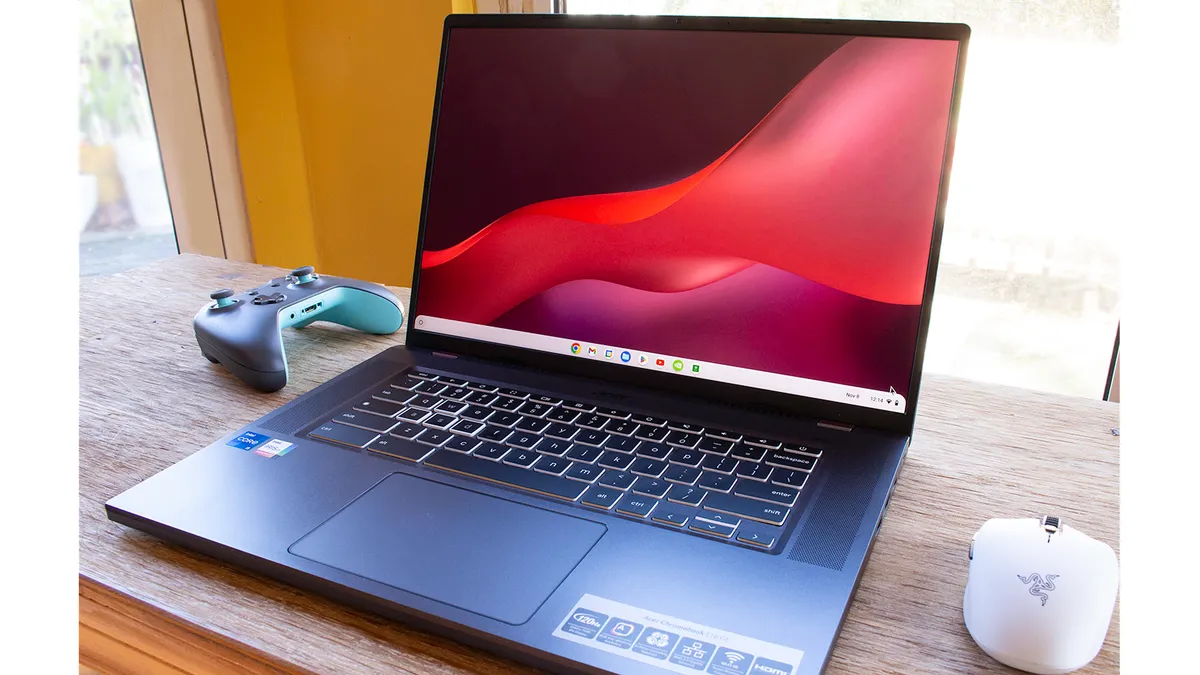
Top Pick: Acer Chromebook Plus 516 GE (2025)
This is the one everyone talks about. I tested it for a week. The hype is real.
The screen. 16 inches. 2560x1600 resolution. 120Hz refresh rate. Bright and sharp. Games look crisp. Motion stays smooth even during fast camera swings.
Read Also: Google Gemini in Chrome Now Rolling Out for Chromebooks
The performance. Intel Core 5 120U processor. 8GB RAM. 256GB SSD. In Geekbench 6, it scored 7,660. That is high for a Chromebook. Most score in the 4,000s.
Cloud gaming test. I ran GeForce Now Ultimate. Played Control with max settings and ray tracing. The game held 60+ fps easily. Textures looked crisp. Input lag was barely noticeable. Forza Horizon 4 through Xbox Cloud Gaming felt good too, though the steering was a bit floaty.
The ports. This is where it shines. Ethernet port. HDMI. Two USB-C. One USB-A. Headphone jack. You can plug into a wired network. That kills lag from Wi-Fi.
The bad stuff. The keyboard feels mushy. Arrow keys are small. Not great for gaming. The design is also weird. Shiny lid with a matte section. Attracts fingerprints. And at 3.8 pounds, it is heavy for a Chromebook.
Who this is for. Serious cloud gamers who want the best experience. The Ethernet port alone makes it worth it if your Wi-Fi is shaky.
Who should skip. If you only play turn-based games or do not need 120Hz, save your money. Also skip if you hate heavy laptops.
Price. Around $550-650.
Best 2-in-1: Acer Chromebook Plus Spin 514
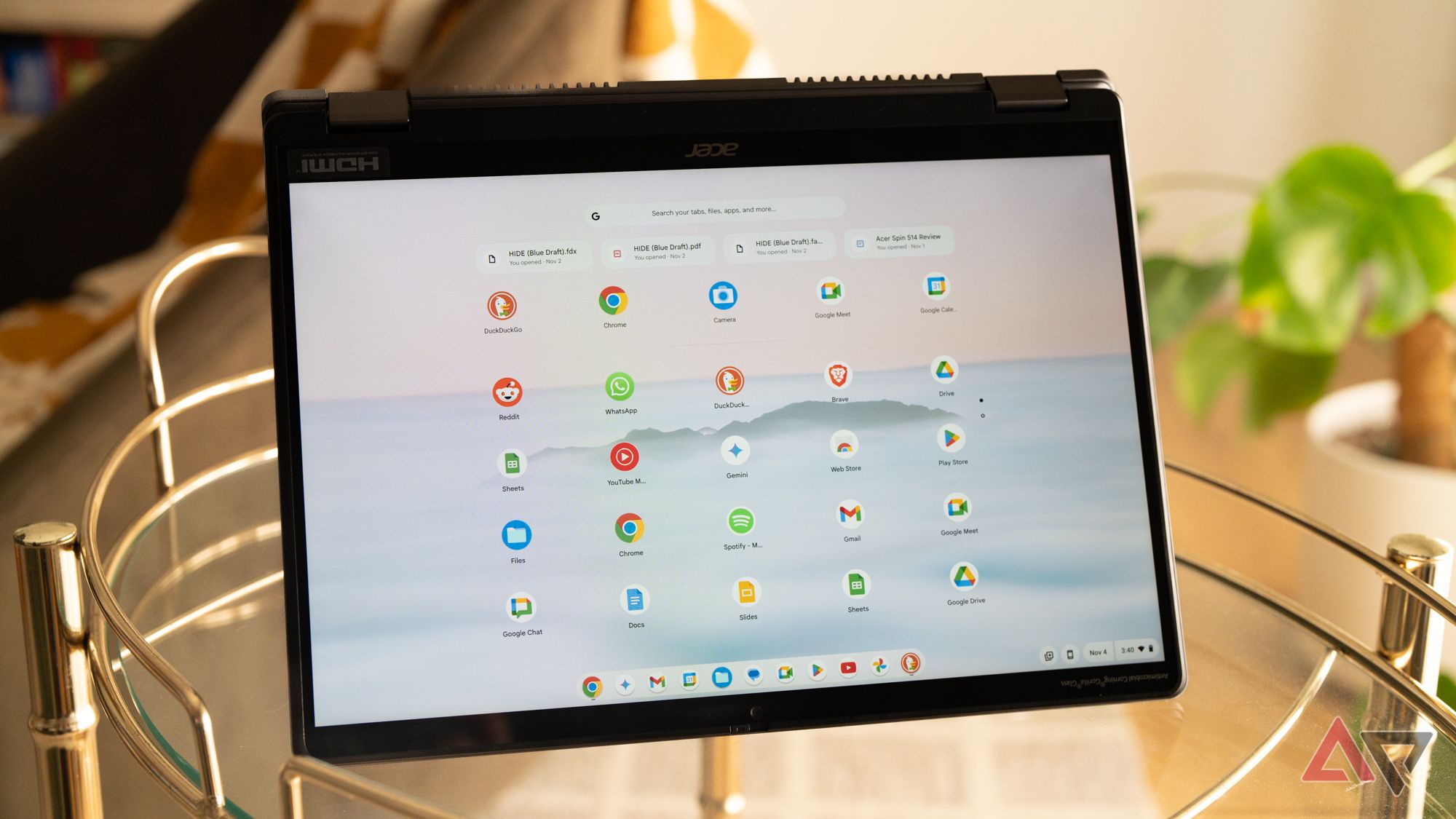
I tested this one second. Did not expect to like it as much.
The screen. 14 inches. 2K resolution. 120Hz refresh rate. Same smoothness as the 516 GE but in a smaller package. Fits in a bag easier.
The battery. 18 hours and 11 minutes on a single charge. That is insane. Most gaming laptops die in 4-6 hours. This lasts all day and then some.
The performance. MediaTek Kompanio Ultra 910 processor. 12GB RAM. Geekbench 6 score of 7,187. Slightly behind the 516 GE but you will not notice.
The feel. Aluminum body. Slim at 0.61 inches. 3.21 pounds. The hinge flips into tablet mode. The touchpad is smooth. Keyboard clicks nicely except for a hollow space bar.
Cloud gaming test. Ran GeForce Now. Played Cyberpunk 2077. The 120Hz screen made driving through the city feel fluid. No stuttering. The fan barely turned on. The laptop stayed cool.
The bad stuff. No Ethernet port. You rely on Wi-Fi. Wi-Fi 7 is supported, but you need a Wi-Fi 7 router to use it. Most people do not have one yet.
Who this is for. People who want a gaming Chromebook that also works as a tablet. Students. Commuters. Anyone who values battery life.
Who should skip. If you need Ethernet or prefer a larger screen, get the 516 GE instead.
Price. $699 for the Best Buy model. A higher spec version with 16GB RAM costs $799 but drops to 60Hz. Do not buy that one.
Best Detachable: ASUS Chromebook CM32 Detachable
This one launched at CES 2026. I got hands-on time at the show.
The screen. 12.1 inches. 2.5K resolution. 120Hz refresh rate. 600 nits brightness. That is bright enough to use outside. Corning Gorilla Glass 3 on top. Anti-fingerprint coating.
You Must Also Like: How to Turn Off Touchscreen on Chromebook?
The performance. MediaTek Kompanio 540 processor. Up to 8GB RAM. 128GB storage. Not as powerful as the Intel options. But for cloud gaming, the processor matters less than the screen and internet.
The battery. 13 hours. Solid for a detachable.
The extras. WiFi 7 and Bluetooth 5.4. Optional USI 2.0 stylus that attaches magnetically to the back. The keyboard detaches completely. Turns into a tablet.
The build. MIL-STD 810H durability. That means it survives drops. There is also a ruggedized bumper option for schools or rough environments.
Cloud gaming test. At CES, I streamed a game on their demo unit. The 120Hz screen looked fluid. The smaller size made it feel like a Nintendo Switch but bigger.
The bad stuff. The keyboard is detachable, which means it can feel flimsy. Also, the processor is ARM-based. Some Android games might have compatibility issues.
Who this is for. People who want a tablet that also games. Students. Travelers. Anyone who likes the Switch form factor.
Who should skip. If you need maximum power or a traditional laptop feel, get the 516 GE instead.
Price. Not officially announced. Expected Q2 2026. Likely $500-600 range.
Best Budget: Lenovo Flex 3 Chromebook
Not 120Hz. I need to be honest upfront. But this is the best budget option if you cannot afford the premium picks.
The screen. 12.2 inches. 1920x1200 resolution. 60Hz refresh rate. No 120Hz here. But for cloud gaming at 60fps, it works.
The performance. Intel N100 processor. 4GB RAM. 64GB eMMC storage. This is entry-level. But cloud gaming does not need much power. The game runs on Nvidia's servers, not your laptop.
The price. Around $300. Sometimes less on sale.
Who this is for. Tight budgets. Kids. Secondary laptops. Anyone who just wants to try cloud gaming without spending $600+.
Who should skip. If you want 120Hz or plan to play competitively, save for the 516 GE.
120Hz Chromebooks Comparison Table
| Model | Screen | Processor | RAM | Battery | Ethernet | Best For | Price |
|---|---|---|---|---|---|---|---|
| Acer 516 GE | 16" 120Hz 2.5K | Intel Core 5 120U | 8GB | 9hr | Yes | Serious cloud gaming | $550-650 |
| Acer Spin 514 | 14" 120Hz 2K | MediaTek Kompanio Ultra 910 | 12GB | 18hr | No | Battery life + 2-in-1 | $699 |
| ASUS CM32 | 12.1" 120Hz 2.5K | MediaTek Kompanio 540 | 8GB | 13hr | No | Detachable / Tablet mode | TBD ~$550 |
| Lenovo Flex 3 | 12.2" 60Hz FHD | Intel N100 | 4GB | 8.5hr | No | Budget | ~$300 |
Are Chromebooks Good for Roblox?
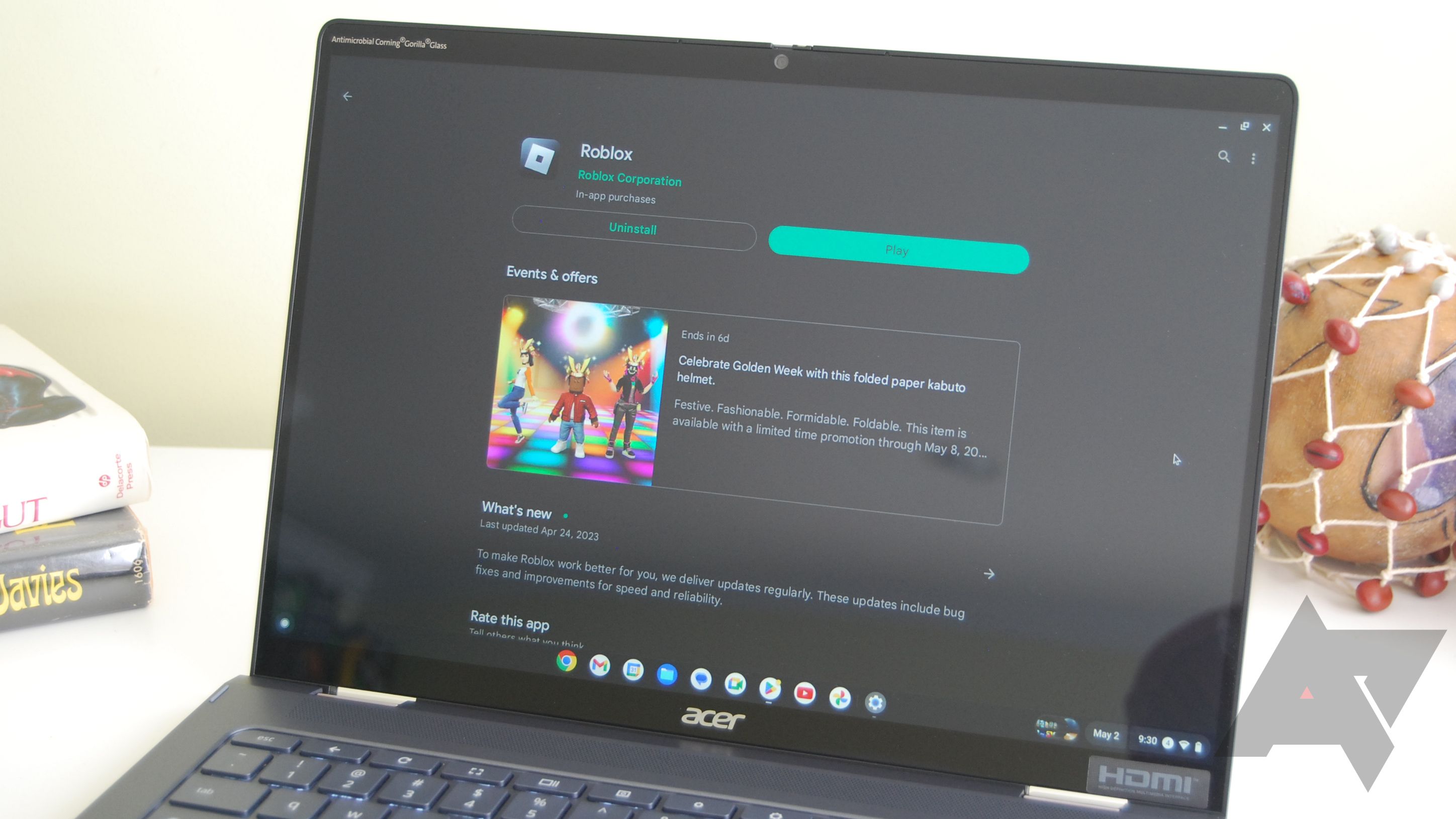
Yes. But with caveats.
Are Chromebooks good for Roblox depends on the device. Low-end Chromebooks with 4GB RAM and Celeron processors will lag. I tested this. Roblox alone eats over 1.5GB of RAM. Add Chrome OS background processes and you are nearly maxed out.
The fix. Use the Android app from the Google Play Store instead of the browser version. The app runs natively. Less overhead. Better performance. In testing, switching from browser to app gave a 15-25 FPS boost.
Lower graphics settings inside Roblox. Press Esc. Go to Settings. Set Graphics Mode to 1 or 2. Cap frame rate at 30 FPS. This stops overheating and stabilizes performance.
Close everything else. Every open tab eats memory. Before launching Roblox, shut down all other tabs and apps. Restart your Chromebook before playing to clear cached processes.
For the best Roblox experience on a Chromebook, get a model with 8GB RAM and an Intel Core i3 or better. The Acer Spin 514 or 516 GE will run Roblox smoothly at higher settings.
Best Budget Chromebook for Gaming (Without 120Hz)
If you cannot stretch to $550, the Lenovo Flex 3 Chromebook is your best bet at around $300. But there are other solid budget options in the $350-450 range:
-
Acer Chromebook 514 (CB514-2H): Intel Core i3, 8GB RAM, 128GB SSD. Around $350-400. Runs cloud gaming well despite 60Hz screen.
-
Lenovo IdeaPad Flex 5i Chromebook: Intel Core i3, 8GB RAM, 128GB SSD, touch screen. Around $400-450.
-
ASUS Chromebook CX9: MediaTek Kompanio 1380, 8GB RAM. Around $330-380.
These all have 8GB RAM. That is the minimum for decent cloud gaming. Avoid 4GB models. They will stutter.
What About the Samsung Galaxy Chromebook Plus?
This is the premium pick for 2026. OLED screen. Thin design. Beautiful. But it has a 60Hz refresh rate. For a $700+ laptop, that hurts. The screen looks stunning for movies.
For cloud gaming, the Acer Spin 514 with 120Hz is better and costs the same. Only buy the Samsung if you mostly watch content and only occasionally game.
Internet Speed Requirements for Cloud Gaming
Your Chromebook matters. But your internet matters more.
Minimum requirements:
-
15 Mbps for 720p at 60fps
-
25 Mbps for 1080p at 60fps
-
35+ Mbps for 1440p or 4K streaming
Latency matters more than speed. Ping below 40ms is ideal. Below 60ms is playable. Above 100ms is frustrating.
Use 5GHz Wi-Fi. Not 2.4GHz. 5GHz has less interference and lower latency. If your router supports it, connect to the 5GHz network.
Better yet, use Ethernet. The Acer 516 GE has an Ethernet port. Plugging in kills Wi-Fi lag completely. If your Chromebook lacks Ethernet, buy a USB-C to Ethernet adapter for $15-20.
GeForce Now vs. Xbox Cloud Gaming: Which Works Better?
I tested both on the Acer 516 GE.
GeForce Now Ultimate is better. Runs at up to 240fps on supported games. Uses Nvidia's RTX 4080 servers. Input lag is barely noticeable. Graphics look crisp even with ray tracing enabled. Costs $19.99 per month.
Xbox Cloud Gaming is simpler. Works in a browser. No installation needed. But caps at 60fps. The input lag on fast games like Forza Horizon made steering feel floaty. Better for slower games like Assassin's Creed. Included with Xbox Game Pass Ultimate at $16.99 per month.
My recommendation. If you have a 120Hz Chromebook, get GeForce Now Ultimate. You actually use the 120Hz. Xbox wastes it.
Common Cloud Gaming Problems on Chromebooks
Input lag. This is the biggest complaint. Some lag is unavoidable. But you can reduce it. Use Ethernet. Play on servers close to you. Close background tabs. Restart your Chromebook before playing.
Video stuttering. Usually a Wi-Fi issue. Move closer to your router. Switch to 5GHz band. Stop other devices from streaming video while you game.
Controller not connecting. Most Bluetooth controllers work. Xbox Series X controller paired instantly in my test. PlayStation controllers work too. If Bluetooth lags, plug the controller in via USB.
Chromebook overheating. Cloud gaming actually generates less heat than local gaming because your device is not doing the rendering. If your Chromebook gets hot, check for dust in the vents. Or your model has poor cooling.
The Final Thoughts
The best 120Hz Chromebooks for cloud gaming in 2026 are the Acer Chromebook Plus 516 GE and the Acer Chromebook Plus Spin 514.
Get the 516 GE if you want Ethernet, a larger screen, and the absolute best performance. Get the Spin 514 if you want better battery life, a 2-in-1 design, and a smaller footprint.
Both have 120Hz screens. Both handle GeForce Now Ultimate smoothly. Both will change how you think about Chromebook gaming.
Just remember. Your internet matters as much as your laptop. Test your speed before you buy. And if your Wi-Fi is bad, get the 516 GE with Ethernet.
I am keeping the Spin 514 for myself. That 18-hour battery is too good to pass up.